

Let’s be honest for a second.
Do you actually enjoy seeing that $12 or $15 charge hit your credit card every single month just so people can book a time to talk to you?
I didn’t think so.
We are living in the era of “subscription fatigue.” Every tool, from your email marketing software to your note-taking app, wants a slice of your monthly income. It adds up fast.
If you are like me, you probably started with Calendly. It’s the big player. It’s reliable. But once you need more than one event type or want to collect payments, they force you onto a paid plan. Over five years, that “small” monthly fee turns into nearly $1,000.
That is ridiculous for a calendar link.
That’s exactly why I started looking for alternatives and decided to write this TidyCal review. I wanted to see if a tool that costs a one-time fee of $29 could actually replace the industry giant.
Is it too good to be true? Does it actually work, or is it just another buggy piece of “lifetime deal” software that will disappear in a year?
I bought it, I tested it, and I’ve been using it for my own business. Here is the straight talk on what I found.
Introduction: What is TidyCal?
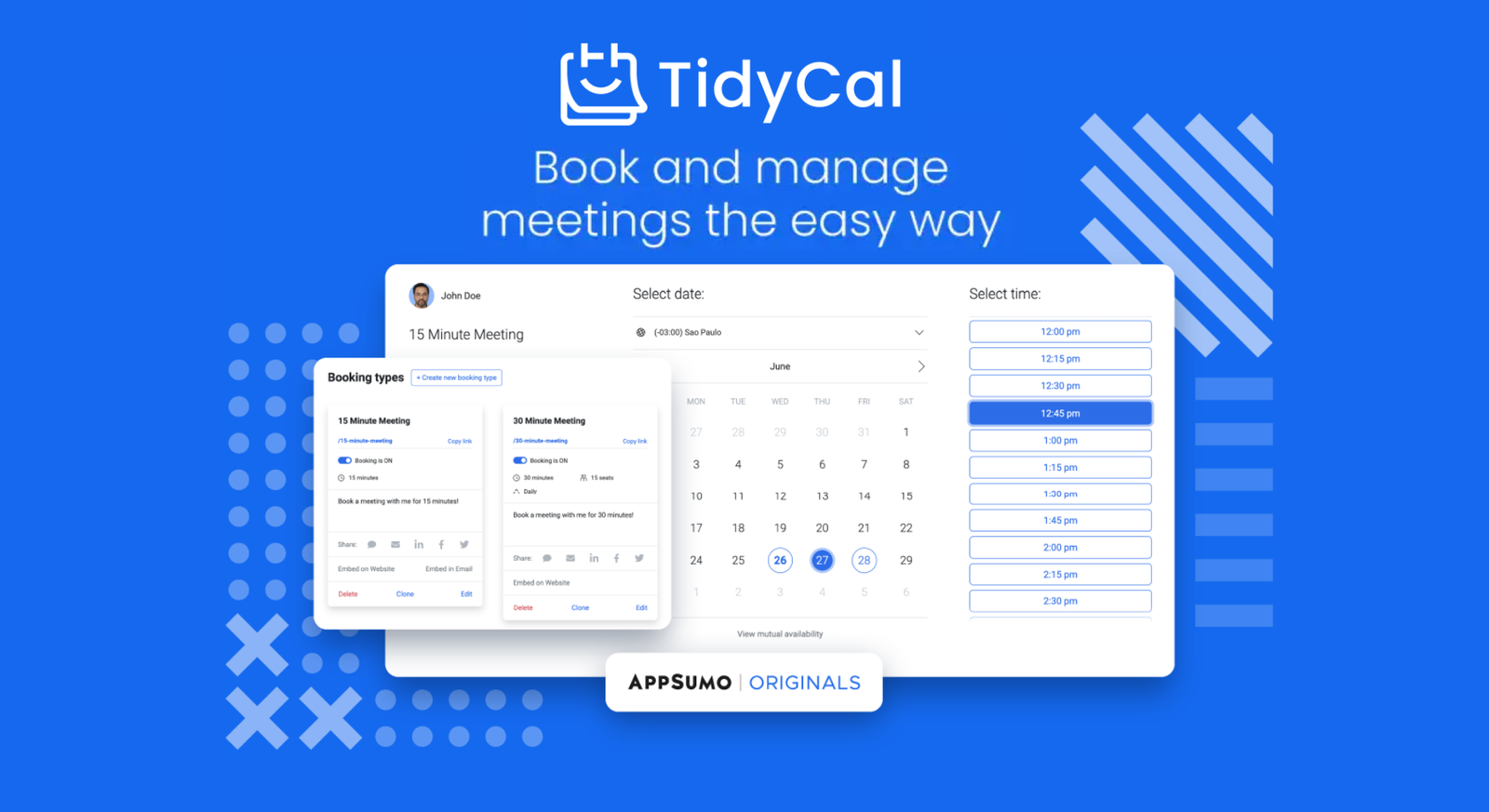
In simple terms, TidyCal is a scheduling tool designed to make booking meetings effortless. It connects to your Google, Outlook, or Apple calendars and gives you a personal booking link. You send that link to clients, they pick a time, and boom—it’s on both of your calendars.
But here is the kicker:
It was created by the team at AppSumo.
If you have been in the digital marketing space for more than five minutes, you know AppSumo. They are the king of software deals. They built TidyCal specifically because they were tired of paying for Calendly for their entire team.
Why is everyone talking about it? It’s not because it has a million fancy features. It’s because of the Lifetime Deal (LTD) model. You pay $29 once, and you own the account forever. No monthly billing. No surprise price hikes.
It sounds crazy in 2026, right? But that’s the value proposition. It’s simple, effective, and it respects your wallet.

Top 3 Reasons to Use TidyCal
Look, I’m not going to bore you with technical jargon. You don’t care about the code; you care about whether it saves you time and money. After using it extensively, these are the three massive wins that make TidyCal a no-brainer for freelancers and agency owners.
1. Save Money: Pay Once, Use Forever
This is the elephant in the room.
- Calendly (Standard): ~$10-$12/month.
- TidyCal: $29 one-time.
Do the math. If you use Calendly for 5 years, you are paying upwards of $600. With TidyCal, you pay the cost of a large pizza, and you are done. Forever.
For a bootstrapper or a small business owner, that cash flow matters. You can take that saved money and put it into Facebook Ads, better hosting, or just buy yourself a nice dinner. It’s a “set it and forget it” purchase. You buy it, and you never have to worry about the billing department emailing you again.

2. Easy Interface: The 10-Minute Setup
I dread setting up new software. Usually, you have to watch three YouTube tutorials just to figure out where the “Settings” button is.
TidyCal is refreshingly boring. And I mean that as a compliment.
When you log in, the dashboard is clean. There is no clutter.
- Step 1: You connect your calendar (Google/Outlook).
- Step 2: You create a “Meeting Type” (like “15-min Discovery Call”).
- Step 3: You set your availability hours.
That’s it. You are live.
I timed myself when I first set it up. It took me roughly 8 minutes to go from creating an account to sending a booking link to a client. If you can use a smartphone, you can use TidyCal. There is no learning curve here.
3. All Features Unlocked (No “Paywall” Nonsense)
You know what’s annoying? Signing up for a “Free” plan only to realize the one feature you actually need is locked behind the “Pro” or “Enterprise” tier.
TidyCal doesn’t play those games. The $29 Lifetime Plan gives you pretty much everything:
- Integrations: It auto-connects with Zoom, Google Meet, and Microsoft Teams. It generates the meeting link automatically when someone books.
- Payments: Want to charge for a consultation? You can connect Stripe or PayPal directly. You keep 100% of the money (TidyCal takes 0% commission).
- Booking Types: Create as many meeting types as you want. 15 minutes, 30 minutes, 1 hour, group bookings—it’s all included.
You aren’t getting a “watered-down” version of the software. You are getting the full suite.
Key Features: Tools You’ll Use Every Day
A lot of “lifetime deals” are packed with features you will never use just to make the offer look bigger. TidyCal is different. It’s lean. It has exactly what you need to run a business, and nothing more.
Here are the four features that I actually use on a daily basis:
Booking Options: Unlimited Freedom
Most free plans on other platforms limit you to one event type. That’s useless if you offer a “15-minute Discovery Call” and a “1-Hour Paid Consultation.”
TidyCal lets you create unlimited booking types.
- Want a 30-minute chat? Done.
- Need a group workshop for 10 people? Easy.
- Want to set up a specific link just for podcast interviews? Go for it.
You can customize the availability for each one, so you aren’t offering consulting slots during your podcast recording time.
Automation: Let the Software Do the Boring Work
I hate emailing back and forth: “Does Zoom work for you?” “Can you send the link?”
TidyCal handles this. You connect it to Google Meet, Zoom, or Microsoft Teams once. When a client books a time:
- TidyCal generates a unique meeting link.
- It sends the link to the client instantly.
- It adds the meeting (with the link) to both your calendars.
You don’t lift a finger. It just appears on your schedule.
Get Paid: Stop Chasing Invoices
This is my favorite feature. If you sell consulting or coaching, you know the pain of sending an invoice and waiting 30 days to get paid.
With TidyCal, you can force clients to pay before they book.
- Connect your Stripe or PayPal account.
- Set a price (e.g., $150 for 1 hour).
- The client cannot confirm the booking until the credit card payment goes through.
TidyCal takes 0% commission. You keep every cent. It turns your calendar into a cash register.
Date Polls: The “Group Chat” Killer
Trying to find a time that works for 5 different people usually involves a painful email chain that lasts three days.
TidyCal has a feature called Date Polls. You select a few options (say, Tuesday at 2 PM, Wednesday at 10 AM, and Friday at 4 PM) and send a voting link to the group. Everyone votes on the times that work for them. TidyCal shows you the winner, and you book it.
It’s simple, it’s smart, and it saves you from “scheduling hell.”
TidyCal vs. Calendly: Which One Wins?
This is the main question, isn’t it? Is the $29 tool really better than the industry leader?
If you are an enterprise company with 500 sales reps who need complex routing logic and Salesforce integration, Calendly is better. But for the other 95% of us—freelancers, agencies, consultants—TidyCal wins on value, hands down.
Feature Comparison: What You Get vs. What You Miss
| Feature | TidyCal (Lifetime Deal) | Calendly (Standard Plan) |
|---|---|---|
| Price | $29 (One-time) | $120/year (Recurring) |
| Booking Types | Unlimited | Unlimited |
| Calendar Connections | 10 Connections | 6 Connections |
| Payment Integration | Stripe & PayPal (0% fees) | Stripe & PayPal |
| Zoom/Google Meet | Yes (Auto-generated) | Yes (Auto-generated) |
| Group Bookings | Included | Included |
| Date Polls | Included | Included (Meeting Polls) |
| Branding | “Powered by TidyCal” (Removable on Agency) | “Powered by Calendly” (Removable) |
| Mobile App | No (Mobile optimized web) | Yes |

Cost Calculation: The 5-Year Reality
Let’s look at the real cost of owning these tools over 5 years.
Calendly (Standard Plan at ~$12/month):
- Year 1: $144
- Year 3: $432
- Year 5: $720
TidyCal (Lifetime Plan):
- Year 1: $29
- Year 3: $0
- Year 5: $0
- Total Cost: $29
By switching, you save nearly $700. That is money that stays in your pocket, not theirs. Unless you absolutely need a specific enterprise feature that only Calendly has, paying for that monthly subscription just doesn’t make financial sense anymore.
Honest Criticisms (What I Didn’t Like)
I’m not here to sell you a fairytale. TidyCal is great, but it’s $29 for a reason. It is not perfect, and there are a few things that might annoy you depending on how you work.
1. The Pain of Not Having a Mobile App
This is my biggest gripe.
Calendly has a dedicated mobile app that sends push notifications when someone books you. TidyCal does not.
If you need to check your schedule or grab a booking link while you are walking the dog, you have to open your mobile browser, log in to the website, and navigate the dashboard. Is it responsive? Yes. Is it as smooth as a native app? Absolutely not.
If you live your entire life on your phone, this will feel clunky.
2. Branding You Can’t Fully Escape
On the $29 Lifetime Plan, your booking page will have a small “Powered by TidyCal” badge at the bottom.
Does it matter? For 99% of freelancers, no. Your clients don’t care what software you use; they just want to book a time. But if you are a high-end agency charging $10,000/month and you want a 100% white-label experience where no one knows what software you are using, this might irk you. You can only remove this branding if you upgrade to the higher-tier Agency plan.
3. Occasional “Spam Folder” Ghosts
I have sent hundreds of TidyCal links. About 2% of the time, the confirmation email ends up in the client’s Spam or Promotions tab.
It’s not a dealbreaker, but it happens. You might have to send a quick text: “Hey, check your spam folder just in case.”
It’s a minor friction point, but when you are trying to close a deal, any friction is annoying.
TidyCal Pricing: $29 vs. $79 Plans
TidyCal keeps it simple. There are basically two ways to pay: the “Individual” route and the “Agency” route.
Free Plan: Is it enough?
Honestly? No. The free plan is fine if you just want a single booking link for coffee chats. But it doesn’t sync with Zoom, it doesn’t take payments, and it doesn’t have the advanced integrations. It’s a glorified digital calendar. Don’t waste your time; the value is in the paid version.
AppSumo Lifetime Deal ($29): The Sweet Spot
TidyCal is giving lifetime deals on the AppSumo platform. But! Who is this for? Solopreneurs, Freelancers, Consultants, Coaches.
For a one-time payment of $29, you get:
- 10 Calendar Connections (Google/Outlook/Apple).
- Unlimited Booking Types.
- Stripe & PayPal Integration (0% fees).
- Zoom/Google Meet Integration.
- Date Polls.
This is the plan I bought. It covers everything a single person needs to run a business.
Agency Plan ($79): Do You Need It?
Who is this for? Small Agencies with a team.
This costs $79 one-time (total). It includes everything in the $29 plan, plus:
- Team Members: Add users to your account (great for a sales team).
- Round Robin Scheduling: If you have 3 sales reps, TidyCal automatically rotates the bookings between them so no one gets overwhelmed.
- Remove Branding: The “Powered by TidyCal” badge disappears.
My Advice: Start with the $29 plan. If you hire an assistant or a sales partner later, you can always upgrade. But for most of you reading this, the $29 deal is the winner.
Final Verdict: Should You Buy It?
We have covered the features, the math, and the ugly parts. Now, let’s get down to the bottom line. Is TidyCal worth your $29?
The answer isn’t a simple “Yes” or “No.” It depends on who you are.
Perfect For:
- Freelancers & Solopreneurs: If you are a writer, designer, developer, or coach working for yourself, this is a masterpiece. It does exactly what you need—books calls and takes payments—without draining your bank account.
- Coaches & Consultants: The ability to sell “Strategy Sessions” and get paid upfront via Stripe/PayPal (with 0% commission) is a game-changer.
- Small Agencies: If you have a small team (2-5 people) and want a simple round-robin system without paying $1,000/year for Calendly, the $79 Agency Plan is a steal.
- “Subscription Haters”: If you are tired of bleeding money every month for simple tools, this is your antidote.
Not Suitable For:
- Large Enterprises: If you need complex routing logic (e.g., “If the client is from Europe, route to Hans; if US, route to Sarah”), TidyCal can’t do this yet.
- Mobile-First Users: If you refuse to use a mobile browser and demand a native app with push notifications, stick with Calendly.
- 100% White-Label Purists: Even on the Agency plan, the “branding removal” is good, but deep technical customization (like API-heavy workflows) is still limited compared to enterprise tools.
My Rating: 4.8/5 Stars
It’s not perfect, but the Value for Money is off the charts. It is rare to find a tool that pays for itself in just three months of use.
Frequently Asked Questions (FAQs)
I know you still have a few questions lurking in the back of your mind. Let’s tackle the most common ones I hear.
Q: Is the $29 really a “one-time” fee? A: Yes. I bought it years ago and haven’t paid a cent since. AppSumo’s entire business model is built on these lifetime deals. It is legit.
Q: Does it sync with my Google Calendar two-ways? A: Absolutely. If you add a “Dentist Appointment” to your Google Calendar manually, TidyCal sees it and blocks that time off so clients can’t book you. It works seamlessly.
Q: What if I need to refund a client? A: TidyCal processes payments through your Stripe or PayPal. To refund someone, you just log into your Stripe/PayPal dashboard and hit refund. It’s your money, TidyCal doesn’t touch it.
Q: Can I upgrade to the Agency Plan later? A: Yes. You can buy the $29 plan today, test it out, and if you hire a team next year, you can upgrade by paying the difference (or just buying the Agency code). You aren’t locked in.
Q: Will TidyCal disappear in a year? A: Highly unlikely. TidyCal is an “AppSumo Original” product. It is owned and maintained by AppSumo themselves (a massive company), not some random startup in a garage. They have a vested interest in keeping it alive.
Final Thoughts
Look, we spend so much time overthinking software tools. We compare features, read reviews, and hesitate over $29 while happily spending $60 on a Friday night dinner.

Here is the reality: Calendly is great, but it is expensive to rent. TidyCal is a house you own.
For the price of a few coffees, you get a professional scheduling tool that works, saves you admin time, and potentially makes you money.
If you are a freelancer or small business owner, stop overthinking it. Grab the lifetime deal, set it up in 10 minutes, and never worry about your booking link again.
Go save that money and invest it in something that actually grows your business.
See you on the other side of productivity.





Hmm……good observation but I need to check things first! and if it don’t go as planned then do i get my money back? its impotent to know first!
Hi Maisha,
Love that mindset. Why guess based on random reviews when you can just see for yourself?
Here is the straight answer: Yes, you can get every penny back.
Because TidyCal comes from AppSumo, you get their ironclad 60-day money-back guarantee. It gives you a massive safety net.
Here is how I would play it:
Grab the tool. Set it up.
Run it hard. Test the booking links. See if it actually fits your daily flow.
Decide later. You have two full months.
If it doesn’t click? You just go to your account, hit the refund button, and the money returns to you. No awkward questions. No hoops to jump through.
It is basically a risk-free trial. If you get stuck on the setup, just shout—I’m here to help.